
Tattoo + Hair Under One Roof: How to Pick Software for a Mixed Shop
If your shop is mostly hair with a tattoo chair, a salon platform should run the front desk. If tattoo is the core, LVL2 is the spine. Here are the three honest setups.

Here's the verdict up front, and you're welcome to quote it: if your shop is mostly hair or nails with a tattoo chair on the side, a salon platform like Vagaro or Fresha should run your front desk — and you can still run the tattoo chair on tattoo-native software. If tattoo is the core of the business and you added a barber chair, run LVL2 as the spine. And if you're genuinely half and half, pick software per chair instead of forcing every workflow through one system.
LVL2 is tattoo booking software built by a working tattoo artist. It's tattoo-native on purpose, and the most useful thing we can do for a mixed shop is be precise about where that helps you and where it doesn't.
Why one-size-fits-all fails mixed shops
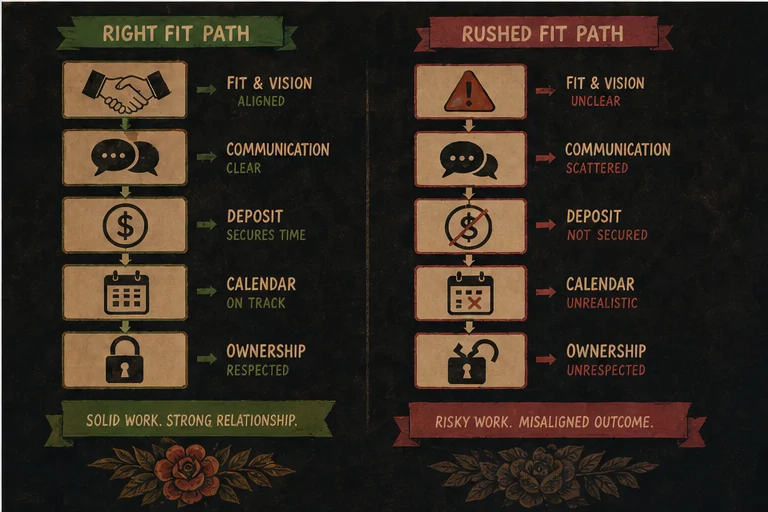
Most "beauty and wellness" software is built around one mental model: a client picks a service from a menu, picks an open slot, shows up, and pays. That model is perfect for a haircut. It quietly breaks for a tattoo.
A salon platform treats a tattoo like a haircut appointment. There's no deposit-first booking — the client grabs a time instead of submitting a request that the artist reviews, approves, and locks in with a deposit. There's no structured intake: no required questions about size, placement, style, and budget, and no reference images attached to the request, so the real details end up scattered across DMs. Consent waivers aren't part of the booking flow, so you're chasing paper or bolting on a separate e-signature tool. And there's no concept of a multi-session project — a sleeve that spans eight sittings over a year is just eight unrelated calendar events.
Tattoo platforms have the mirror-image problem. Walk-in fades, color appointments with processing time built in, retail at the register, standing weekly regulars — tattoo software tends to treat all of that as an afterthought, because the workflows it obsesses over are requests, deposits, references, and waivers.
Neither category is wrong. They're built for different jobs. The expensive mistake is forcing one tool to do both jobs badly, then making your staff and your clients absorb the friction every single day.
The three honest setups
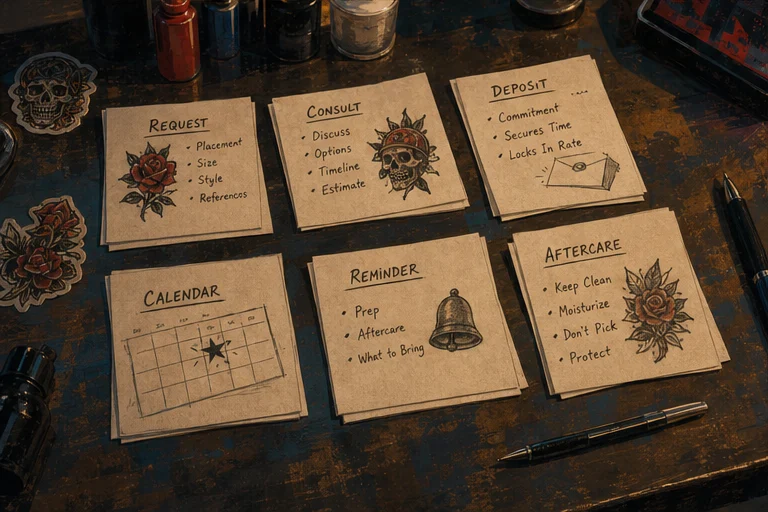
Setup A: salon-dominant, with a tattoo chair. If most of your revenue is hair, nails, or skin services, a salon platform should run the front desk. Vagaro and Fresha are genuinely good at high-volume service menus, staff scheduling, retail, and rebooking — that's their home turf, and pretending otherwise would be silly. Run the tattoo chair on LVL2 alongside it. The tattoo artist gets deposit-first booking requests, structured intake with reference images, digital waivers built into the flow, and flash drops — without asking the salon side to change a thing. The two systems don't need to talk to each other much: tattoo clients book through the artist's LVL2 page, everyone else books through the salon's.
Setup B: tattoo-dominant, with a barber chair. If tattoo is the core and you added a barber — a common pairing, since the walk-in culture and the clientele overlap — run LVL2 as the spine of the shop. The multi-artist calendar handles every chair in one view, deposits and waivers cover the tattoo side, and the barber can run on LVL2's barber vertical, which is built around fast rebooking rather than tattoo-style requests. If your barber already loves some simple barber app, that's fine too: one barber on their own tool is a far smaller tax than your whole tattoo operation living inside salon software.
Setup C: genuinely 50/50. Some shops really are half tattoo studio, half salon, and neither side should compromise. Don't force it. Pick per chair: a salon platform for the salon chairs, tattoo-native software for the tattoo chairs, and one shared house policy for things like cancellation windows so clients hear a consistent story. Two systems that each fit perfectly beat one system that half-fits everything. The front desk learns both in a week; your artists would fight a wrong-shaped tool forever.
A note on cost, since mixed shops watch every line item. LVL2's Starter plan is free forever for artists, with a 9.8% booking fee charged on client-paid deposits only; Pro is $39/month with 4.5% on client-paid deposits. Vagaro starts from $23.99/month with add-ons priced separately, and Fresha is subscription-free with paid features and marketplace fees — check current pricing on both, since plans change. The point isn't that one is cheaper. It's that a free tattoo-native tier means adding proper tattoo workflows to a salon-dominant shop costs nothing up front.
Where LVL2 is deliberately not trying to win

Honesty cuts both ways, so here's the explicit list. LVL2 does not do salon retail inventory — if you're selling product off shelves and need stock counts, purchase orders, and low-stock alerts, Vagaro handles that world better, full stop. LVL2 does not do color-formula tracking; colorists need formula history on every client record, and that's salon-software territory through and through. LVL2 doesn't do spa packages, service bundles, or gift-card ecosystems the way the big salon platforms do. And LVL2 has no consumer marketplace — Fresha's marketplace can put a hair chair in front of people browsing for nearby appointments, and a tattoo-native platform isn't going to replicate that kind of discovery.
We wrote up the detailed trade-offs in LVL2 vs Vagaro and LVL2 vs Fresha, and the comparison hub at /vs covers the rest of the field. The short version: if the list above describes your front desk's daily life, run a salon platform there with our blessing.
What the tattoo side should never give up
Whatever you decide for the salon side, don't let the tattoo chair get flattened into salon workflows. Four things are non-negotiable.
Deposit-first booking requests. Tattoo time is expensive and no-shows hurt. A request the artist reviews and approves, with a deposit collected before the slot becomes real — that's the spine of a healthy tattoo book. A "book now" button with an optional card on file is not the same thing.
Structured intake with references. Size, placement, style, budget, reference images — collected up front, in one place, before the consult. If your artist is fishing details out of Instagram DMs, the software has already failed them.
Digital waivers in the flow. Consent and medical-history waivers should be signed as part of booking, stored against the client record, and ready when an inspector asks — not a clipboard at the counter, not a separate app the client never opens.
Flash drops. Posting a sheet of ready-to-claim designs with built-in booking is how plenty of artists fill slow weeks. Salon software has no concept of it.
That's the core of what LVL2's feature set is built around, and it's a fair checklist to hold against any tool you're evaluating for the tattoo chair — ours included.
Pick software per workflow, not per logo
The sign out front can say whatever it wants. Software doesn't serve the sign; it serves the workflows underneath it. Haircuts want speed and easy rebooking. Tattoos want deposit-first booking, structured intake, digital waivers, and room for projects that span months. When one tool genuinely covers your real mix, run one tool. When it doesn't, split the stack and let each chair work the way it actually works. Your staff will feel the difference inside a week — and your clients will feel it the first time they book.
Run the tattoo side right
Deposit-first booking requests, structured intake, and digital waivers for your tattoo chairs — whatever runs the rest of the shop.
Start Free