
Procreate 3D Tattoo Models for Placement Previews
You have seen artists import 3D body models into Procreate, drop tattoo art on the surface, rotate it, and screenshot the placement. LVL2 is making that workflow easier to grab through Exchange.

You Have Seen This Workflow
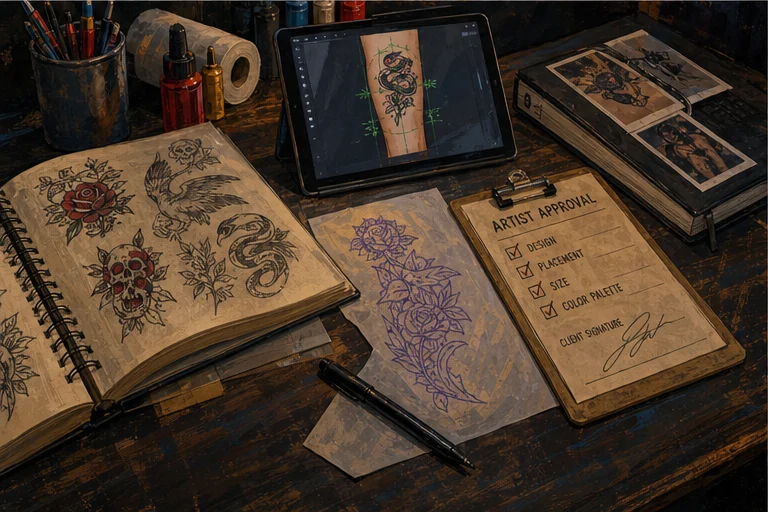
You have probably seen the screenshots.
An artist opens Procreate, imports a 3D arm, leg, torso, hand, or back model, drops tattoo art onto the surface, rotates the model, and sends the client a placement preview before the appointment.
It looks simple because the output is simple: a clear screenshot that says, "This is what the design could feel like on this part of the body."
The annoying part is getting the model files.
Most artists end up hunting through random download folders, old links, half-broken OBJ files, and model packs that were not built for tattoo placement. Some import cleanly. Some have bad UVs. Some are missing texture files. Some work once and then disappear into Files.app forever.
So LVL2 turned that messy little workflow into an Exchange pack.
What the LVL2 Exchange Pack Is For

The LVL2 Procreate tattoo placement pack is built for artists who want a faster way to show placement options before a client commits.
Use it when you need to:
- preview a forearm wrap before drawing the final stencil
- show whether a thigh piece needs more vertical space
- compare hand, arm, torso, or leg placement
- send a client a quick visual during consultation
- turn "I cannot picture it" into something concrete
This is not a magic design machine. It is not replacing your eye, your drawing process, or your judgment.
It is a practical model pack for one job: getting tattoo ideas onto body-shaped surfaces so the conversation gets clearer.
Why OBJ Files Matter in Procreate
Procreate's own handbook says 3D Painting imports .USDZ and .OBJ files. It also says any model you paint on needs a UV map attached.
That matters for tattooers because a random 3D model is not automatically useful. A model can look good in a preview image and still be bad for painting if the surface is not unwrapped cleanly.
For tattoo placement previews, the file needs three things:
- a body-part shape that makes sense for tattoo flow
- a UV map Procreate can paint on
- any required texture or material files kept with the model
That is why the LVL2 Exchange pack is being organized with a manifest, file hashes, and licensing notes instead of being dumped into a mystery zip.
Reference: Procreate 3D model import docs.
What Is In the Pack
The LVL2 Exchange bundle includes OBJ body-model files pulled into one organized package.
The model set includes common tattoo placement surfaces:
- arms
- legs
- hands
- feet
- torsos
- full-body models
- head models
Each file is tracked in a manifest with its original source path, file size, hash, and material references.
That sounds nerdy because it is. But it matters. If a model is going to live in Exchange, artists should know what they are downloading and LVL2 should know what is safe to publish.
How Artists Use It
The basic workflow is straightforward.
Download the model pack from LVL2 Exchange. Save the OBJ files to your iPad. Open Procreate. Import the model. Paint or place the tattoo concept on the surface. Rotate the model. Take screenshots. Send the cleanest views to the client.
Use it before a consult when the placement is uncertain.
Use it after a consult when the client needs a visual before paying a deposit.
Use it when a design has to wrap, curve, or sit on a body part where flat mockups lie.
Flat mockups are fine for flash sheets. Body placement needs a body.
What This Does Not Solve
A 3D model will not tell you whether the tattoo is good.
It will not solve anatomy, movement, aging, line weight, skin tone, or whether the client is asking for too much detail in too little space.
That is still you.
The model only helps with one part of the job: showing the design in context early enough to avoid confusion later.
If a client says, "I thought it would be smaller," "I thought it would wrap more," or "I could not imagine it there," a placement preview gives the conversation something real to point at.
Why This Belongs in LVL2 Exchange
LVL2 Exchange exists for artist resources: practical files, tools, templates, flash packs, and workflow helpers that make the tattoo business easier to run.
This pack fits because placement previews sit right between creative work and booking work.
You make the preview. The client understands the idea. The request gets cleaner. The booking moves forward with less back-and-forth.
That is the whole point.
Not more software theater. Less friction between the art and the appointment.
Download the Placement Pack
The Procreate 3D tattoo placement pack is live on LVL2 Exchange.
Download the model bundle, import the files into Procreate, and start making placement screenshots for your own consultation flow.
Start here: LVL2 Procreate 3D Tattoo Models on Exchange.
If you are already using Procreate for tattoo design, this is the missing little folder you wanted the first time you saw those 3D placement screenshots.
Open the official LVL2 Exchange launch pack
Use the LVL2 Exchange launch pack for tattoo-native reference, placement, and digital product workflow guidance.
Open LVL2 Exchange